Crossings
At Menu in Querungen =>
Setzen
In each attitude traversing strange lines with arbitrary
cross section can be represented and accounted for. This applies also to the
necessary search ditches and hand chess doing gene.
Simple (=
vertical) traversing: With input mask over traversing => setting or by
point construction in the profile the point of touching of traversing is
specified. This happens in the Aushublayer by means of point => again =>
plumb bob between the two pits. Subsequently, mark the point and with
traversing => setting (to points) traversing to it fix. After filling out
the input mask we traversing in the profile represented and under show account
accounted for.
Bevel traversing: In addition in the sketch by
two further points the direction of traversing is specified. For the definition
of the traversing height further one point is in the profile necessary. After
marking the three matching points of traversing in both windows with traversing
=> setting (to points) traversing in its diagonal process is specified for
attitude. Mask fill out and completely.
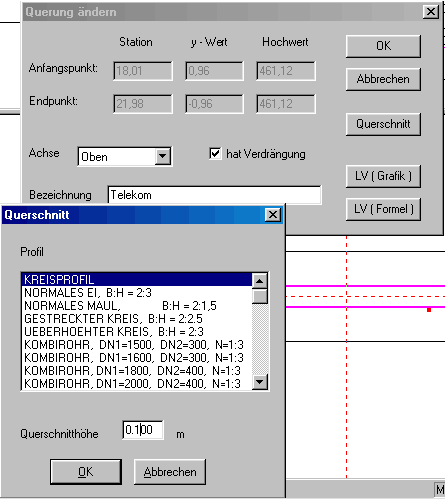
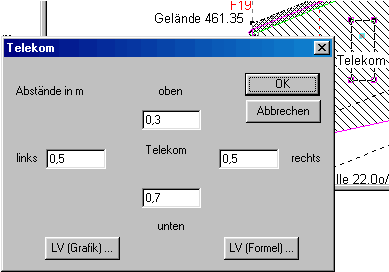
Hand pit: Under the menu option traversing =
embedding we select one of the set traversing by let us mouse-click. We enter
the distances to the traversing axle in the offered mask and the program set
the frameworks for the Hand pit automatically. If the program meets during this
procedure crossing lines for example different hand chess doing genes, a
warning appears on the screen and only the corner points of the Hand pit are
set. The lines can be connected then by hand. The developed thing is occupied
over LV(Grafik) or area => to change with a hand pit position.
|
|