Edit contract document
Flexible collection of bills of quantities (contract document s) over
different GAEB -, OENORM and ASCII of formats or by hand. The individual LV
positions are taken over and indicated with item number, summary, dimension,
price and contract document quantity. They can be worked over again, changed,
regrouped and be out-played provided with account quantities by DA11 or
GEAB DA86 again.
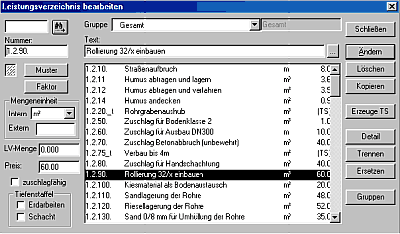
- contract document => Read
At Menu in LV =>
Lesen
Flexible collection of bills of quantities (contract
documents) over different GAEB -, OENORM and ASCII of
formats
- contract document => Edit =>
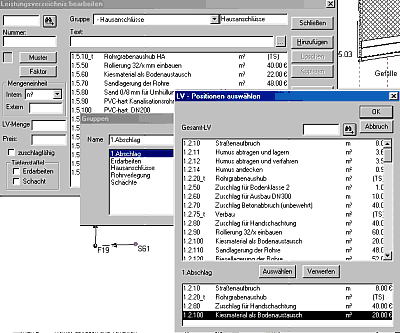
Groups
The contract document titles are taken over under groups and
can be edited and supplemented there. Also contents of individual contract
groups of documents can know worked on and/or new groups to be formed. That is
meaningful in particular if the read in contract document is unclear and badly
structured. They arrange themselves then their own contract document groups and
remove the redundant radical from the contract document. It is your work time,
which you vergaeuden by long Herumsuchen in badly arranged contract
document's.
At a contract document group also contract document
positions can be summarized, which are to be accounted for positively. That
concerns in particular the case that you already prepared the account in the
apron completely and attitudes, pipes, pits etc. with positions occupied, which
are to date still not at all implemented. They do not want to waive and select
these assignments however any longer under contract document group only
positions out, which are also abrechenbar at the time of the
pressure.
- contract document => Depth
Stepping
At Menu in LV =>
Bearbeiten => Erzeuge TS
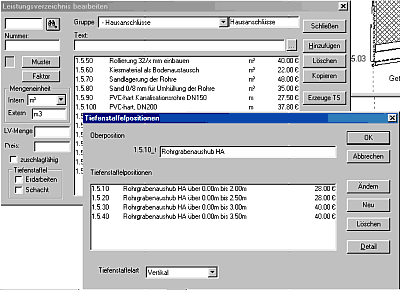
The program makes it possible to combine
several positions (pits, erdaushub) into depth relay positions. They select the
positions in the LV by mouse-click out and start over the Button produce for TS
their assumption into a virtual TS position. The selected positions are
indicated in the TS box and can be worked over again. With the computation
regulation for the tiefenstaffelung horizontal can (in strips parallel to the
surface) between vertical (in senkrechten ditch sections), and vertical
(averaged) (two neighbouring depths, i.d.R. those of the pits averaged) to be
selected. The program infers the border depths from the summary. If this
assumption does not take place correctly, the user can intervene over the
changing option and register the relevant data by hand.
|
|