Print
The
calculated results become in clear sketches and lists test capable and pockets
computer confirmed issued and summarized.
- Accounting
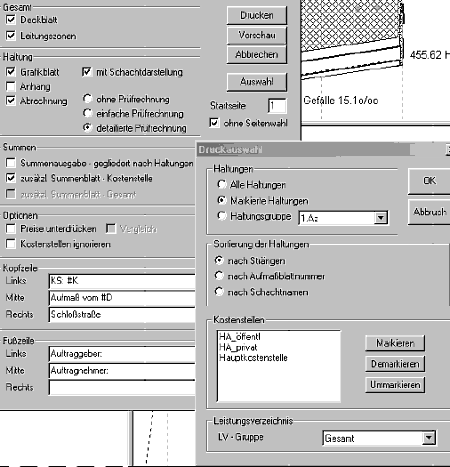
At Menu in Projekt => Drucken =>
Abrechnung
At Print selection you determine the quantity of
the bearings that come to the statement. The default "Marked bearing. One
bearing group" you can modify at Change bearing (all marked) =>
groups. The printed bearings become after cords (ATV-guideline ???), after
up measure leaf number or after the name of the accompanying layer sorts. At
least one must be marked by the cost centers. At LV-group you can select
the LV-positionen, that schould deducted positively. That concerns
especially the case that you prepared the statement already in the forefield
completely and bearings, tubes would stack etc. With positions belaid have,
carried out are that to date yet not at all. They want to cancel and select
these assignments however no longer under LV-group only positions from, that
are to the moment of the pressure also billable.
The statement
options allow different combinations in the formation of the test
expression. The important are predefined. Every pressure can be tested
beforehand per preview-function for the screen. The cover sheet
regulates be listed the general conditions of the statement, essentially here
the encountered presettings. In the direction zones, the cross-section
areas of all combinations are enumerated out of tubes, up warehouse and over
covers and are designated for the later use in the test protocols of the single
bearings.
At bearing can be selected between simple and
detailed test calculation. The information in both statement is the
same. simple test calculation is more compressed, consumes less paper. The home
of the pressure can be adjusted if you want to print the test protocol in
several stages. Just as a side selection is available you if you want to
exchange single sides in an already printed protocol or bearings.
At
sums / option a sum edition can organized at bearings and/or at cost
centers selected. The edition of the prices can be suppressed, just as the
distribution in cost centers for internal achievement messages. In the
comparison, the deducted quantities are placed the written out
vis-à-vis.
In the head-/foot line different additional
information as well as date, time, side number, project name etc. can be dialed
for the print.
- Bill of quantities
Im Menü unter Projekt => Drucken
=> Mengenliste
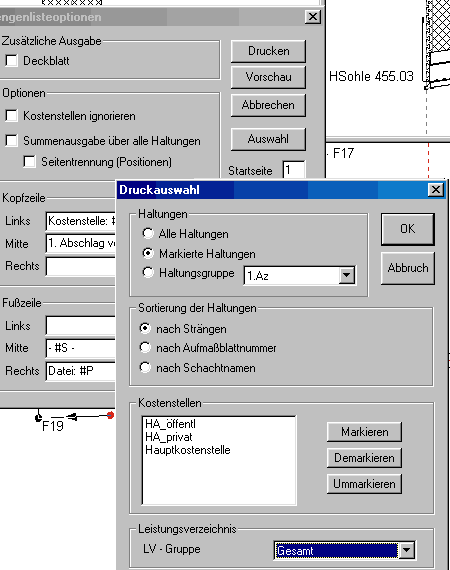
Here we see again the print selection how it is
already well known out of the Accounting. Default stands on marked bearings.
You can change predefine a bearing group under bearing (all marked) groups. The
printed bearings are sorted by cords (ATV-guideline ???), by up measure leaf
number or by the name of the accompanying layer. At least one must be marked by
the cost centers. Under LV-group you could summarized LV-positions, that
positively are supposed to be deducted. That concerns especially the case that
you prepared the statement already in the forefield completely and bearings,
pipes, would stack etc. belaid have with positions, that are carried out to
date yet not at all. They want to cancel and select these assignments however
no longer under LV-group only positions from, that are to the moment of the
print also billable.
- Chute partial list
Im Menü unter Projekt => Drucken
=> Mengenliste
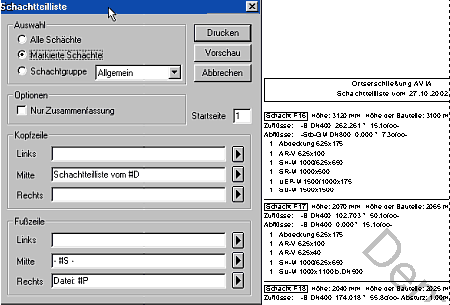
Here you can put the parts joined under chess
baptism building with pipe dimension, descent statement and angle statement on
paper. Individually become the pipe dimension of the connections that descents
in the arriving pipes and the connection angles listed. The angle statement
have references to the drain direction and are indicated in the clockwise. On
the end leaf, the parts become would stack summarized all again.
- measure sketch
Im Menü unter Projekt => Drucken
=> Anmeßskizze
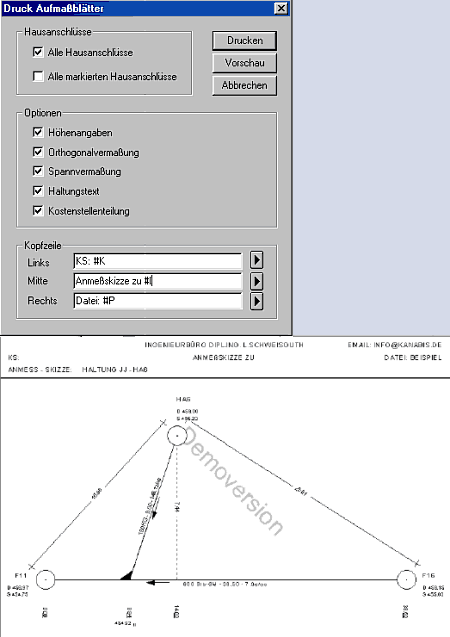
Here an appropriate sketch can be generate
to every house connection. It is issued in A4-landscape and contains the on
measurement of the marked house connection on the neighboring head canal
layers. Selectively cover and sohlheights, tensions and orthogonal
dimensioning, bearing description after DIN 2425 and the cost centers division
can be printed out with.
- Notes
Im Menü unter Haltung =>
Ändern =>
 oder Schacht => Ändern => oder Schacht => Ändern =>
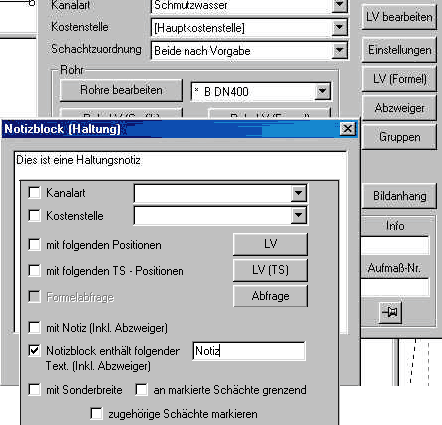
At these places, text notices of any contents and
unlimited length can be discarded. After these notices, bearings can and would
stack marked become and can be printed these notices in a separate list. Even
the texts of the notices can search after Strings and marked become in
hits.
You can hold the notices for longer time transparent and
traceable.
|
|